fogbound.net


Sat, 29 Jan 2022

Springing

— SjG @ 5:14 pm

Starting a bit early around Mar Vista, even though the nights are cold.


Wed, 12 Jan 2022

Assembling Shadow Theaters

— SjG @ 6:33 pm

People often ask me “How do you put together those paper shadow theater things you make?”*. Here’s a quick visual tour of the process. You can click on the pictures to see more detail.

*(Nobody has ever asked me this.)

Filed in:

Fri, 17 Dec 2021

Manipulating SVG in PHP, part 2.

— SjG @ 1:06 pm

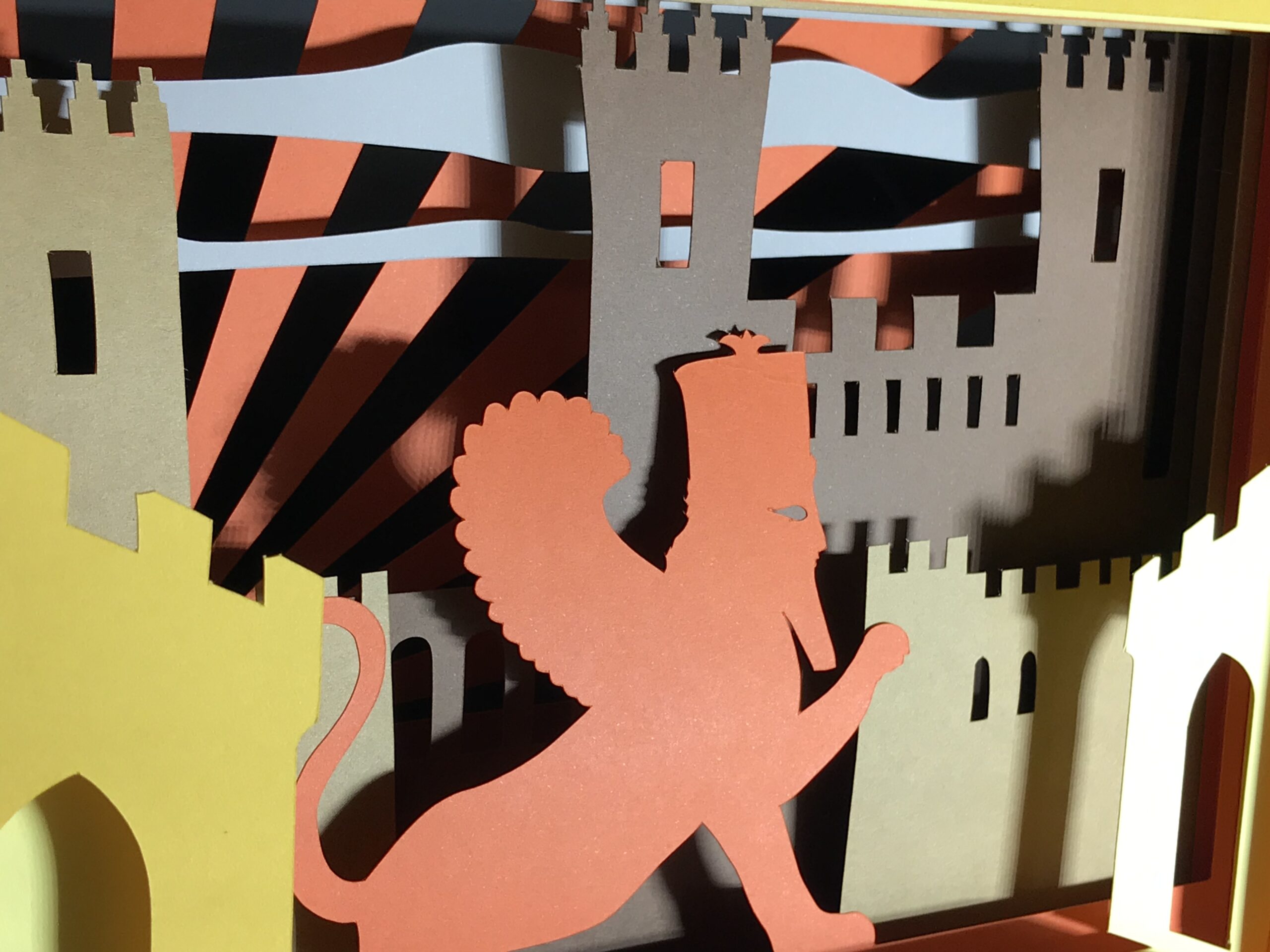
As mentioned in Part 1, the purpose of this code is to help automate file format conversions and presentation for posting vector designs to Etsy. One kind of design I make is “shadow theaters,” which are essentially little layered dioramas that look nice when backlit.

Sample 8-Layer Shadow Theater

The individual layers of these designs comprise an outline, scoring lines for folding the paper, and the design itself. However, creating a thumbnail to represent the design has a unique challenge: the layers are negatives. The design file fills the areas that will be cut out, but this is where the greatest illumination will come through. I want the thumbnail to look like the photograph above. Furthermore, I can’t simply composite all the layers, as they are opaque, and the result would only show the top layer.

So the task becomes to invert the layers. But even that isn’t so simple. In each of the layers, I want to take the filled area and make it transparent, and take the unfilled area and fill it. To really make it work, the filled areas should not be a uniform color, but should vary by how far “down” in the stack the layer is.

However, this isn’t as simple as removing layers like I did in Part 1. What I have to do is take the outermost layer, fill it, and subtract the geometry of the inner design from it. Fortunately, that’s not so difficult to do in SVG. If you take a path in SVG and close it, you can continue to add sub-paths. When those sub-paths are outside the original path, they are added to it. If the sub-paths are inside the original path, they are subtracted from it. If they overlap, they’re both added and subtracted. This is probably better explained with pictures.

Disclaimer: for the purpose of this discussion, I’m assuming two SVG settings: fill-rule and clip-rule are set to “evenodd”. There are other options, but they aren’t helpful for what I want to do.

What do these paths and sub-paths look like? If you look at the example from Part 1, you can see that a path has a d attribute, which is a string of commands and coordinates. Rather than go through those here, I’ll just link the relevant Mozilla SVG tutorial page which I found helpful. The key thing is that a complete, closed path ends with a Z command. Any path details after that are a subpath.

Looking at an SVG file of one of my shadow gallery layers, what I want to do is convert the “Design” layer to a fully-contained sub-path of the “PaperOutline” layer. Based on what we know of SVG paths, that means I can just append the design path to the outline path – the design path will become a sub-path which will be subtracted from the outline path! I then can set the fill color of this composite path, and I will effectively have filled the outline and subtracted my design.

I again take advantage of the fact that the layer names are following my standard. I search through the file for the “Design” layer, and copy its path into the $subtract_path variable. Then I loop through the groups again, find the “PaperOutline” layer, and append the path. While I’m at it, I set the fill color with a shade I calculate based on the layer number.

<?php
$total_layer_count = 1;
for ($this_layer_index = 1; $this_layer_index <= $total_layer_count; $this_layer_index++)
{
    $doc = new DOMDocument();
    $doc->load("layer-{$this_layer_index}.svg");
    $shade = 255 * ($total_layer_count - $this_layer_index / 1.5) / $total_layer_count;
    $subtract_path = '';
    $rm = [];
    $groups = $doc->getElementsByTagName('g');
    foreach ($groups as $this_group)
    {
        $layer_name = $this_group->getAttribute('id');
        if (preg_match('/design/i', $layer_name))
        {
            foreach ($this_group->childNodes as $node)
            {
                if (in_array(get_class($node), ['DOMNode', 'DOMElement']))
                    $subtract_path .= $node->getAttribute('d');
            }
            array_push($rm, $this_group);
        }
    }
    foreach ($groups as $this_group)
    {
        $layer_name = $this_group->getAttribute('id');
        if (preg_match('/outlinepaper/i', $layer_name))
        {
            foreach ($this_group->childNodes as $node)
            {
                if (in_array(get_class($node), ['DOMNode', 'DOMElement']))
                {
                    $opath = $node->getAttribute('d');
                    $node->setAttribute('d', $opath . $subtract_path);
                    $style = $node->getAttribute('style');
                    if (preg_match_all('/fill:([^;]+)/', $style, $matches))
                    {
                        foreach ($matches[1] as $tm)
                        {
                            $style = str_replace($tm, "rgb($shade,$shade,$shade)", $style);
                        }
                    }
                    $node->setAttribute('style', $style);
                }
            }
        }
    }
    foreach ($rm as $trm)
    {
        $trm->parentNode->removeChild($trm);
    }
    $res = $doc->saveXML();
    $out = fopen("layer-{$this_layer_index}-inverted.svg", 'w');
    fwrite($out, $res);
    fclose($out);
}

Not the most elegant code in the world, and will certainly fail on SVG files that don’t match my naming and layout conventions, but illustrates the process.

Once I’ve created these inverted SVGs, I convert them into PNGs, composite the stack into a single image, and come up with what I consider a handsome representation for my design thumbnail.

Composited, complete

Once I have the ability to take layers and change the transparent areas and the fill color, I can do all sorts of other manipulations. For example, I can create striking negative images, or feed the the layers into other scripts to create “exploded” views of the shadow theaters.


Sun, 22 Mar 2020

Postcards to Voters

— SjG @ 1:49 pm

To get people out to the polls, the numbers are pretty clear. Canvassing is the most effective technique to get people engaged. After that it’s not exactly clear whether texting, phone banking, or sending post-cards is next best.

But hey, Covid-19 means no canvassing right now. I hate telephones, so postcarding seems like a next-best approach. A lot of campaigns have their own systems set up, or you can contact Postcards to Voters and join up with their efforts.

You can get a lot of nice designs through a cooperation between Postcards to Voters and My Postcards. I wanted to come up with a few designs of my own. The individual files can be sent to a printing service and printed on 4″x6″ postcards, or you can download the combined version where they were squished to fit on a single sheet if you want to try printing them yourself.

Click on any of the images below to download a 300dpi PDF version.

Filed in:

Mon, 16 Dec 2019

Maccabeam™ Part 6: Final Project Gallery

— SjG @ 9:38 pm

Previously:
Introduction
Part 1: Simulating candle-light with pseudo-random sequences
Part 2: Some physical structure
Part 3: When Exactly is Hanukkah?
Part 4: A Typical Programming Problem
Part 5: Oil and Lasers

So here we are, six days away from Hanukkah, and the first build of the Maccabeam™ is complete!

Below is video of it running, and a general build gallery. But before that, here are some thoughts and lessons that will go into Version 2 (and/or a kit, if that ever happens).

I build things the old-fashioned way. Everything’s soldered onto a breadboard with finicky little wires (I used wire-wrap wire, since it’s fine and easy to twist around). While this is fine for prototyping, it’s not great for a finished product. I need to learn to use a design app, and have printed circuit boards made.

A printed circuit board would make the positioning of the LEDs better, too. I bought the LEDs on a long strip, which I then cut and wired together. If I used surface-mount LEDs, I wouldn’t have to worry about the width of the strip and making each little segment fit in the channel. It sounds simple, but in the corner areas, it got congested.

The next design won’t just use a printed circuit board. It will also use standard connectors so the disparate parts may be added and removed easily while building.

Back to the LEDs. The decision to put the LEDs behind a layer of frosted acrylic to make the light more diffuse may not have been the right one either. When the “marching ants” animation is running to indicate the shamos lighting the other candles, the diffuse light bleeds over into the neighboring star-shaped windows, disrupting the flow of the animation a little.

The physical hanukkiah, all the laser-cut wood, works well, but it makes access to the internal components very difficult. The screws hold it together, but there’s enough play in the screw-holes that I supplemented with hot glue. When I had to replace one of the laser diodes that burned out, I had to tear the whole thing down. The next design should be more maintainable.

Speaking of lasers, the inexpensive laser diodes I purchased online are not really very good. The brightness varies dramatically! Now, they’re representing candles, so the variation is not a show-stopper, but the dimmer lasers are not bright enough for a well-lit room. You can see this in the video below.

I didn’t write about how I programmed the “music.” To make a long story short, I found sheet music of “Hanukkah Oh Hanukkah” online. Using the Wikipedia article on reading music, I translated the sheet music into the notes. The LCD display has a small piezo-electric speaker on it, and you can play notes by sending special codes on the serial lines to the display. So I took the notes, and translated them into those codes. It’s what the kids call chip-tunes, but perhaps next time I’ll go for the Teensy audio board, and play a stereophonic MP3 off of a memory card.

Another thing I didn’t write about was simulation mode. When the silver switch on the left is thrown to the left, the circuit gets time and date from the GPS unit. But I couldn’t wait for Hanukkah to test my code! Given the number of bugs found and fixed during development, it would have taken me several centuries worth of Hanukkahs to get it right. Therefore, I implemented a simulation mode. When the switch is to the right, we magically locate ourselves in Jerusalem, and set the time just before sundown on the 24th of Kislev. This allowed me to endlessly watch Hannukah arrive, and get the animated displays to my satisfaction.

Anyway, the results are below! We’ll see if it’s satisfactory in just a few days…

View of the LCD Display (Simulation mode)
Start of Day 6 (Simulation mode)