On Photography and AI
There was a recent brouhaha about a video competition withdrawing its award because of AI use. I talk about image manipulation apropos photography and “cheating” here occasionally (most recently on choosing angles and removing power lines).
To some extent, this is simply a problem where we’ve been trained to believe that photographs depict some objective reality. It’s never been true, but it’s strangely less true than ever before. Generative diffusion techniques unlock a whole new horizon of fakery, and it’s hard not to conclude that the people pushing it everywhere are interested in destroying baseline confidence in the ability to understand reality (or to destroy a concept of reality itself).
For what it’s worth, I do use tools to post-process images, and this is usually in order to change or enhance the narrative of the picture.
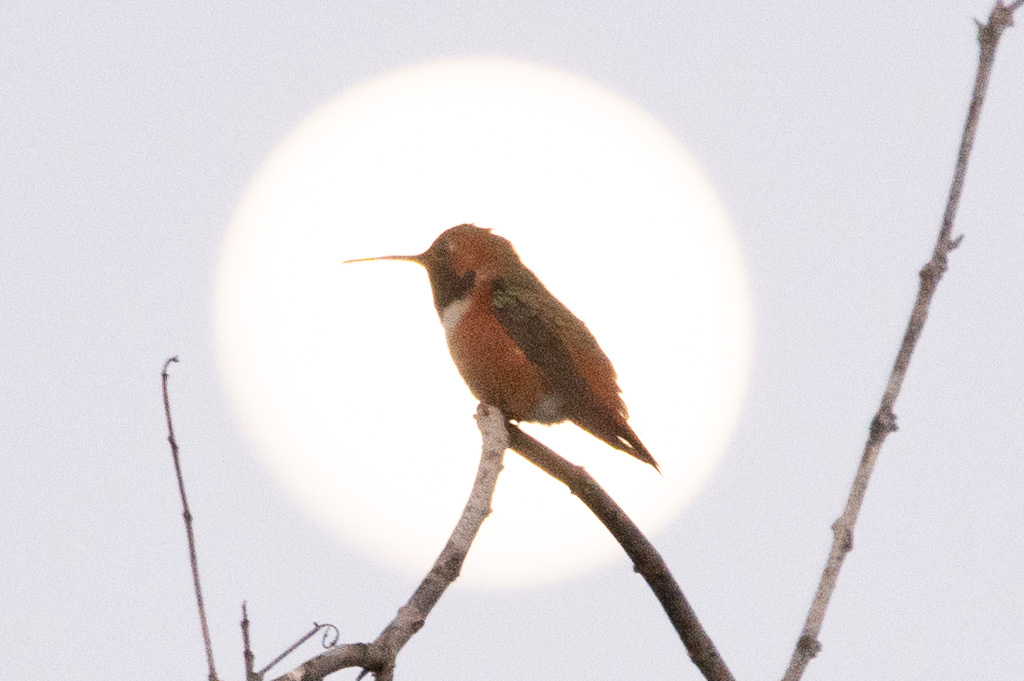
For example, here’s a picture of a hummingbird sitting on branch in front of the full moon I took in April.
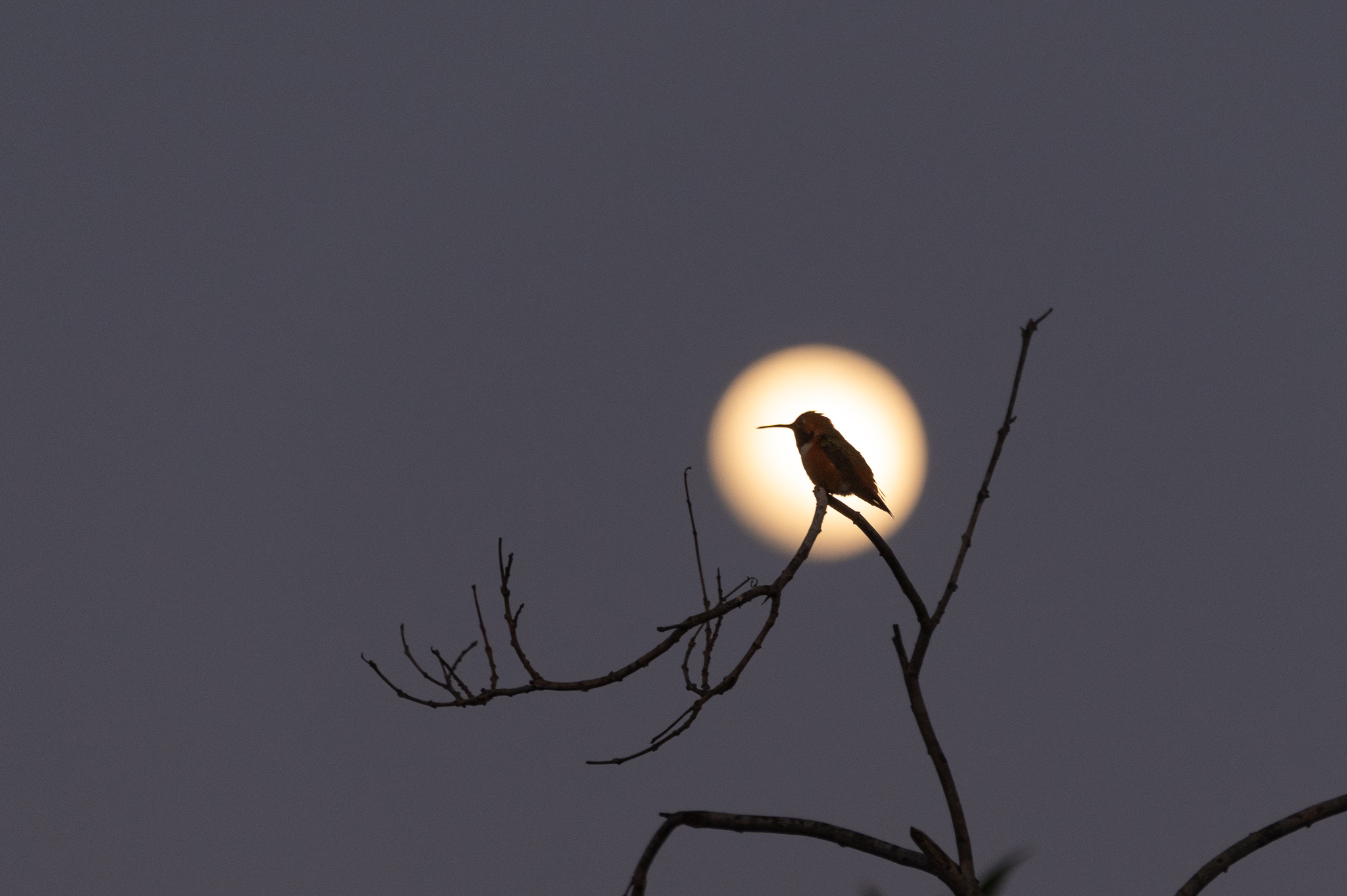
This image is different than the original capture. First off, the sensor in most digital cameras does not have true color perception, but only measures luminance. A pattern of colored filters are put over the sensor, and the camera uses interpolation to determine the color image.
Beyond that, I cropped the image, and adjusted the relative lighting. That hummingbird was not illuminated, so in contrast to the moon behind it, there was almost visible detail. In software, I brightened up the levels of the shadowed area, and I increased the saturation so you could see the faintest hint of color.
Wanna see the straight-out-of-the-camera version? Of course you do.
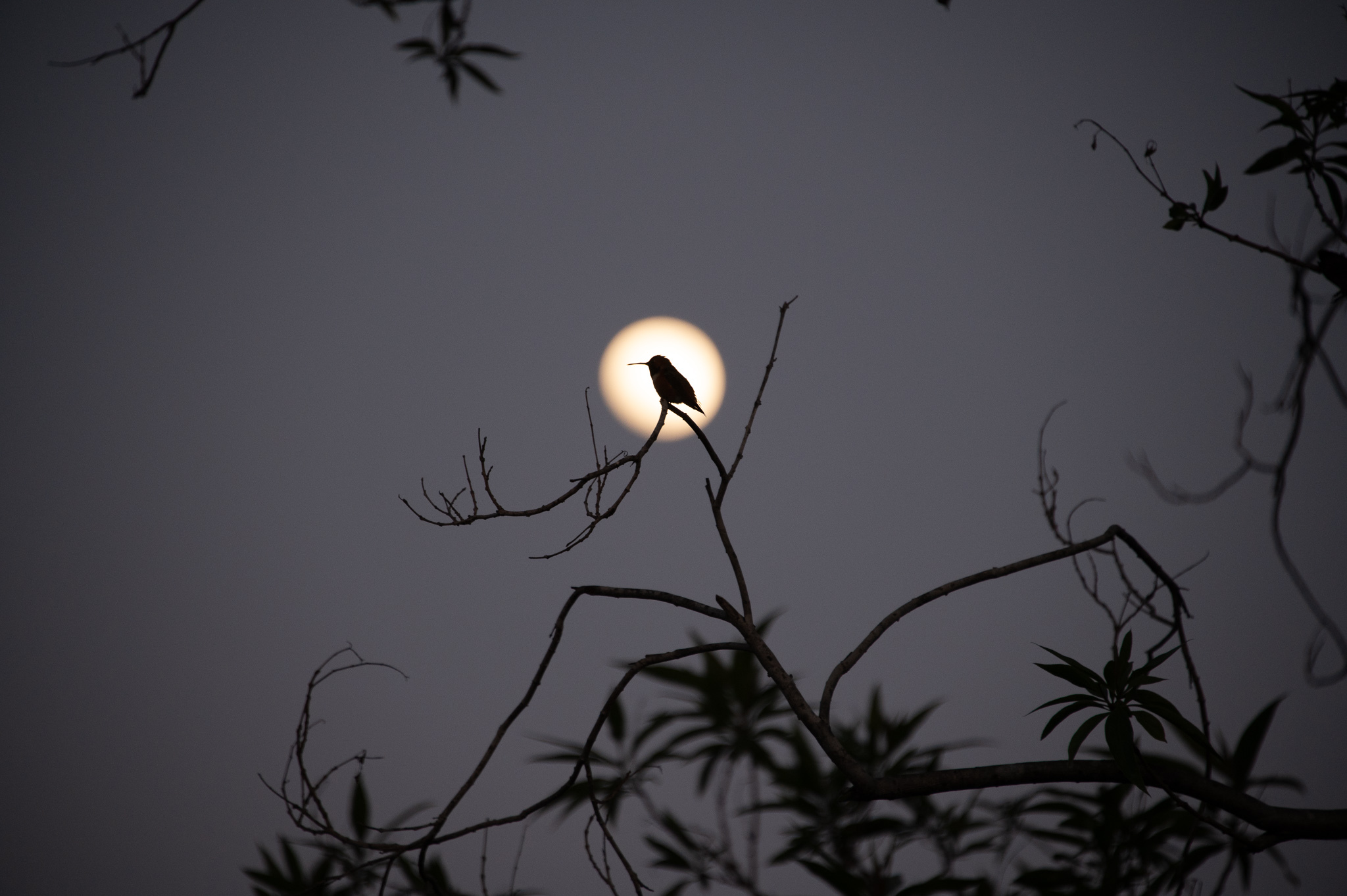
This original picture tells a different story. It tells me that I didn’t have the 600mm lens on the camera. It’s not a bad picture, but I like my edited version better: it’s more about the hummingbird.
A few other things are worth discussing. My camera isn’t taking “High Dynamic Range” (HDR) photographs. With HDR, it would have taken multiple exposures at different light levels and then combined them algorithmically. It could have got more color in the hummingbird. The camera is also not doing focus stacking. With focus stacking, it would have taken multiple exposure at different focal distances, then combined the sharp areas of each photo to form the final image. In this case, there are really only two focal areas, the bird and the moon. The physics of my lens allowed me to get one or the other in focus. With focus stacking, I could have combined multiple images and gotten both.
You could look at both of these multiple exposure techniques as cheating, or you could consider them ways of circumventing physics to make an image more like one we “see.” Our eyes play all sorts of tricks to circumvent physics, like constantly moving and changing focus, but the processing that takes place in our brains makes it seem like we’re seeing this heavily processed information gathered over time as a single instantaneous image.
The following version is from ChatGPT. It was asked to take the top image, and fed the prompt “Can you please enhance this image, bring out the colors in the hummingbird, and bring the full moon behind it into clearer focus? I’d like it to remain photorealistic and dramatic.” Below are the results. I’ll let you assess for yourself.
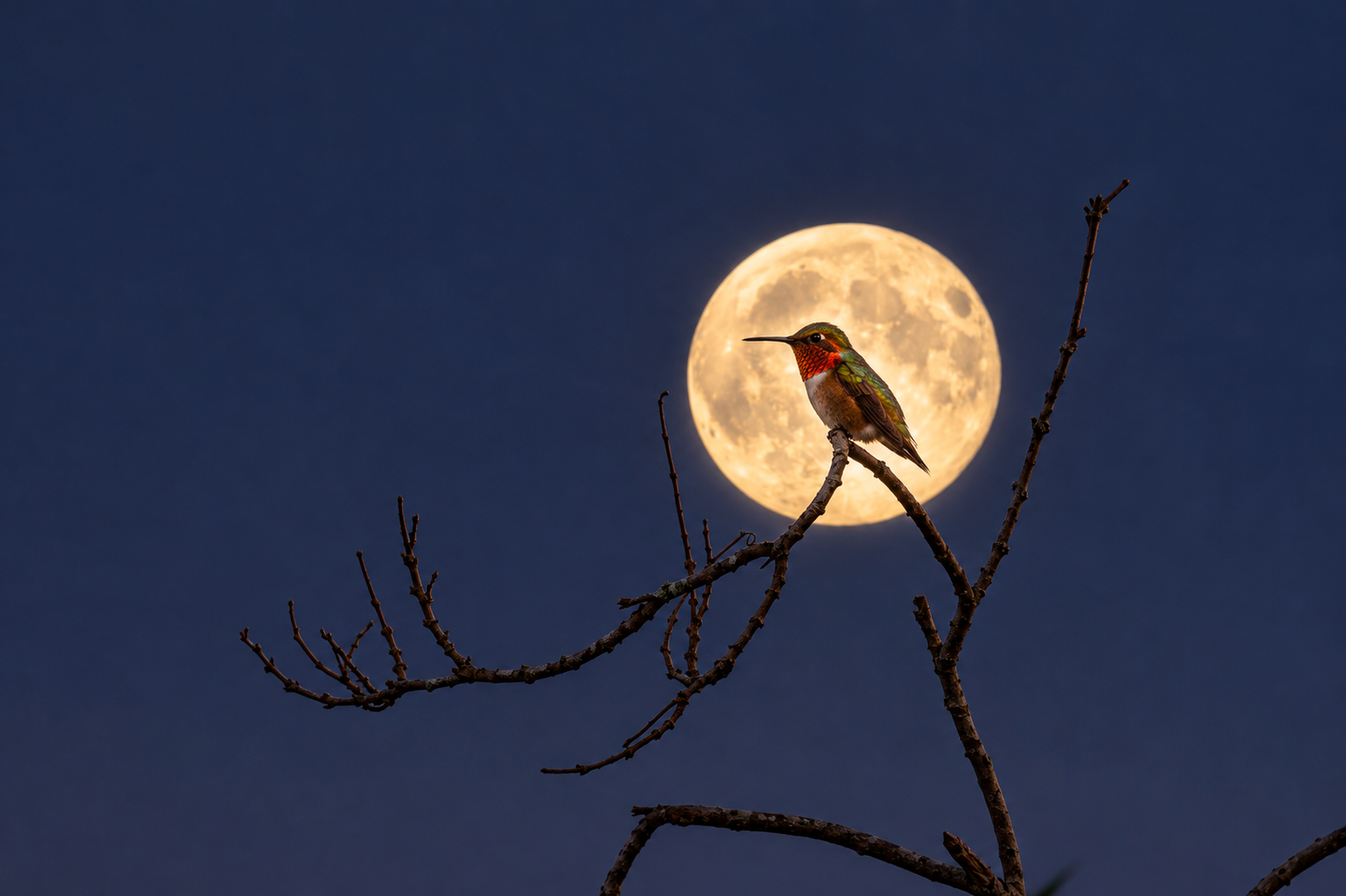
What’s did the AI processing do? Well, it cropped closer in, for one thing. It brought up the colors in the hummingbird. And it replaced the moon with a different picture of the moon.
My processing could never have made the image look like this. The information simply wasn’t in the data I got from the camera — the moon, for example, was too far out of focus and had none of the detail in it. It looked like the hummingbird was replaced too. Could I have got those colors if I’d tweaked the exposure enough? Well, to find out, I took the original unaltered image, and cranked up the exposure to see. And yes, you can see that it replaced the hummingbird altogether. Compare the chin coloration and the angle of the head — that ain’t the same bird!
So what’s the point of this entire discussion? I guess I’m trying to draw lines between “legitimate” image manipulation to tell a story, and “faking it.” The line’s not a very clear one, but I do think there’s a distinction to be made.
Obviously, with better prompting, I may have gotten less obvious changes. If they had been subtle, would I have felt better about it? Not really. To me, the addition of statistically-generated data means it’s no longer “real.”
What are your thoughts?